
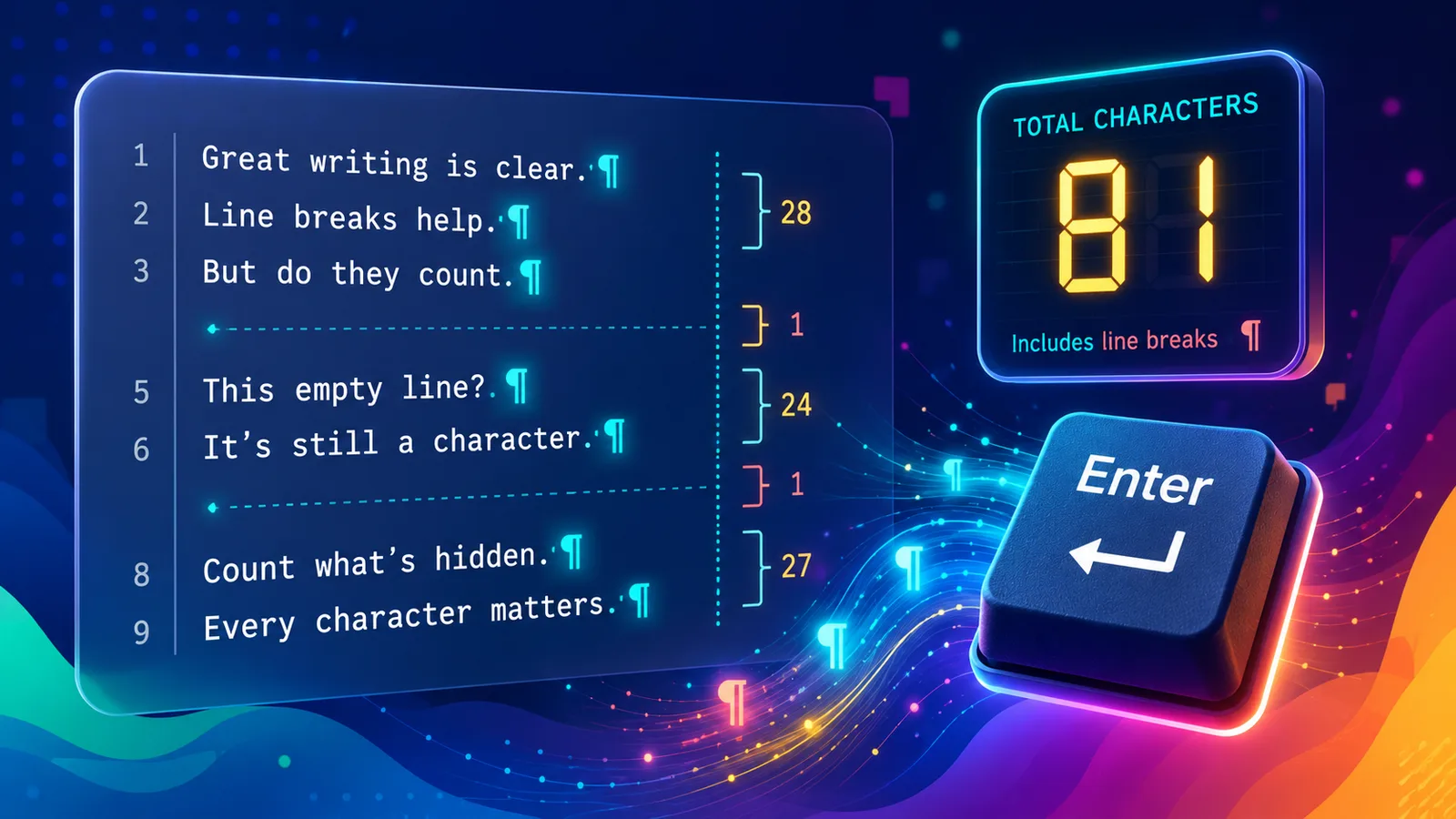
The key facts at a glance
- Yes — line breaks usually count as characters toward your text limit
- Pressing Enter/Return inserts a hidden newline character, even though it looks blank
- A line break can be one character (LF) or two characters (CRLF) depending on platform and how the text was created
- Blank lines between paragraphs add an extra line-break character for every empty line
- Removing unnecessary line breaks can recover characters when you are close to a limit
Do line breaks count as characters? Yes — line breaks usually count as characters. Every time you press Enter or Return, a hidden newline character is inserted into your text, and most character counters and platform limits count it the same way they count a letter or a space.
This matters more than it looks, because a line break is invisible on the page — it just looks like blank space — but it still consumes part of your character budget.
Quick Answer: Do Line Breaks Count as Characters?
| Question | Answer |
|---|---|
| Does pressing Enter count as a character? | Yes, in almost all character counters and platform limits |
| Is it always one character? | No — it can be one (LF) or two (CRLF) depending on platform/format |
| Do blank lines count extra? | Yes — each empty line adds its own line-break character(s) |
| Does TextLimits’ main count include line breaks? | No — the main “Characters” stat excludes them; “Chars incl. line breaks” includes them |
What Pressing Enter Actually Does
When you press Enter or Return in a text field, your software does not just move the cursor down — it inserts an actual character into the underlying text, usually represented internally as a newline. You cannot see this character on the page, but a character counter reads it the same way it reads a letter, number, or punctuation mark.
This is why two pieces of text that look the same length on screen can have noticeably different character counts: the version with more line breaks has more hidden characters.
One Character or Two? LF vs CRLF
Not all line breaks are encoded the same way:
- LF (line feed) — a single character, used by default on macOS, Linux, and most modern web text fields
- CRLF (carriage return + line feed) — two characters, the older Windows-style line ending, still produced by some Windows applications and some copy-paste sources (Word documents, certain email clients)
In practice, this means the same-looking paragraph break can cost one character on one platform and two on another. If you are pasting text from a Windows document into a strict character-limited form, your line breaks may be quietly using twice the characters you expect.
What About Blank Lines Between Paragraphs?
A blank line between two paragraphs is not “nothing” — it is itself a line break character (or two, per CRLF), sitting on its own empty line. Three blank lines between sections means three to six hidden characters, even though nothing is visible there.
This adds up fast in longer text. A document with several multi-line blank gaps between paragraphs can lose a surprising number of characters to whitespace that serves no visible purpose.
Line Breaks vs Spaces vs Paragraphs vs Visible Characters
These four terms get used loosely, but they mean different things for counting purposes:
- Visible characters — letters, numbers, punctuation, symbols: what you can actually read (see Do Punctuation Marks Count as Characters? for how punctuation specifically affects limits)
- Spaces — the character inserted by the spacebar between words (see Do Spaces Count as Characters? for the full breakdown)
- Line breaks — the hidden character(s) inserted by Enter/Return; ends a line without necessarily starting a new visual “paragraph” in some editors
- Paragraphs — a visual/structural concept (a block of text), usually created using one or more line breaks, but not a distinct character type on its own
Spaces and line breaks are both forms of whitespace, but they are encoded differently and some platforms treat them differently when calculating “without spaces” counts — see Character Count Without Spaces for how that distinction plays out. For a complete overview of every character type that affects text limits, see What Counts as a Character?
Before and After: Removing Extra Line Breaks
Here is a short bio with unnecessary line breaks:
Before (with line breaks counted as characters) — 83 characters:
Freelance writer.

Available for projects.


Available online.

Contact me anytime.
After (line breaks flattened to single spaces) — 79 characters:
Freelance writer. Available for projects. Available online. Contact me anytime.
Flattening the line breaks recovers 4 characters — the 4 blank-line characters that were removed. The visible words are identical; only the hidden whitespace changed.
That may look small, but it scales. A text with ten unnecessary blank lines between paragraphs carries ten extra hidden characters. In a short strict form — a bio field capped at 80 or 100 characters, for instance — those hidden characters can be the difference between fitting and not.
How to Check and Fix Your Line Breaks
The fastest way to see the real impact of line breaks on your text is to paste it into the TextLimits character counter and compare the main “Characters” figure against “Chars incl. line breaks” in the expanded details.
If your text has more line breaks than you need:
Use the Remove Line Breaks tool to flatten multi-line text into a single paragraph, or strip out unnecessary blank lines, in one click. Your text stays in your browser the whole time.
For broader cleanup — stray tabs, repeated spaces, inconsistent formatting pasted from Word or email — the Text Cleaner handles line breaks alongside other invisible formatting issues.
If you are trimming text to fit a strict limit overall, see the full guide: How to Fit Text Into a Character Limit.
FAQ
Do line breaks count as characters? Yes. Pressing Enter or Return inserts a newline character into your text, and most character counters and platform limits count it the same way as any visible character.
Does pressing Enter count as one character or two? It depends on the line-ending format. Most modern platforms use a single LF (line feed) character. Some Windows-originated text uses CRLF (carriage return + line feed), which is two characters per line break. The same-looking line break can cost a different number of characters depending on where the text came from.
Do blank lines count against my character limit? Yes. Each blank line between paragraphs is itself a line-break character (or two), even though it displays as empty space. Several blank lines in a row can add up to a meaningful number of characters in longer text.
How can I remove extra line breaks? Paste your text into the Remove Line Breaks tool to flatten multi-line text into a single paragraph, or use the Text Cleaner for broader formatting cleanup. Then recheck your total with the character counter.
Try it free
Remove extra line breaks instantly
Paste your text into the TextLimits remove line breaks tool to flatten or clean up line breaks and recover characters — free, no sign-up, processed entirely in your browser.
Remove extra line breaks instantly →