
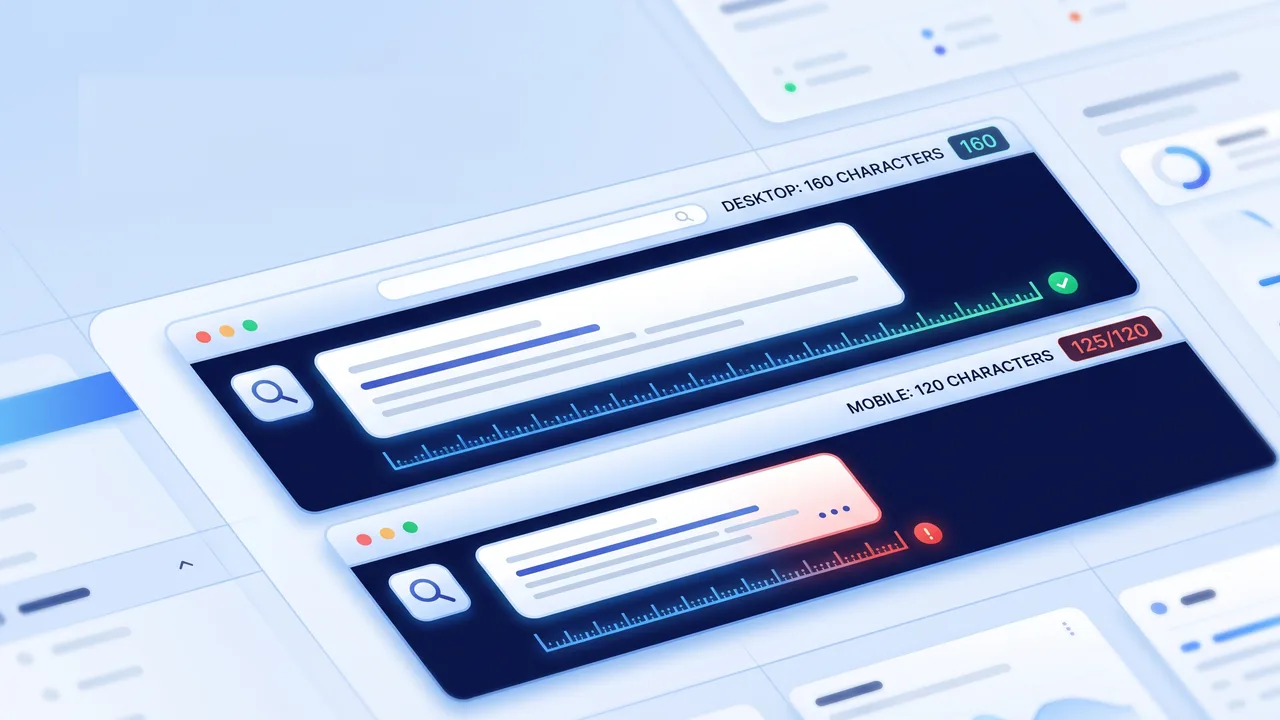
The key facts at a glance
- Desktop snippet: 150–160 characters
- Mobile-safe opening: first 120 characters
- Very short descriptions: 90–120 characters
- Maximum practical target: around 160 characters
- Meta title length: around 50–60 characters
- Check your meta description length instantly →
If you want your page to earn more clicks from search results, getting the meta description length right matters. A meta description is not a magic ranking trick, but it is often the short preview text people see before deciding whether to visit your page.
The safest practical target is simple: write around 150–160 characters for desktop search results, and make sure the most important message appears in the first 120 characters for mobile. That gives your snippet the best chance of staying clear, useful, and complete.
Quick Answer: Best Meta Description Length
Use these numbers as a practical guide:
| Use case | Recommended length |
|---|---|
| Desktop search snippet | 150–160 characters |
| Mobile-safe opening | First 120 characters |
| Very short description | 90–120 characters |
| Maximum practical target | Around 160 characters |
| Meta title length | Around 50–60 characters |
Search engines do not enforce one fixed meta description character limit. Snippets are displayed based on available space, layout, device, query, and sometimes pixel width. That is why a 160-character description can fit in one situation and be shortened in another.
The best approach is to write a clear description, put the main value early, and check the length before publishing.
What Is a Meta Description?
A meta description is a short piece of HTML text that summarizes a web page. It often appears under the page title in search results.
For example, a page about LinkedIn limits might use:
“Learn the exact LinkedIn character limits for posts, headlines, and bios. Optimize your profile and avoid awkward text truncation easily.”
A good meta description should tell the searcher:
- what the page is about
- why it is useful
- what they can expect after clicking
- why this result is worth choosing
It should not be a long paragraph, a keyword list, or a vague slogan.
Ideal Meta Description Length for Desktop and Mobile
For most pages, aim for 150–160 characters.
That is a safe desktop range and gives you enough room to include the topic, benefit, and sometimes a soft call to action. But mobile snippets are often shorter, so the first 120 characters are especially important.
A practical rule:
- First 120 characters: core message
- 150–160 characters: full desktop-friendly description
- Beyond 160 characters: higher risk of truncation
For example:
“Learn the ideal meta description length for desktop and mobile. Avoid truncation and write better SEO snippets before publishing.”
This is clear, compact, and front-loads the topic.
Characters vs. Pixels
Meta descriptions are often discussed in characters, but search results are displayed visually. A narrow character like “i” takes less space than a wide character like “W”.
That means two descriptions with the same character count may not occupy exactly the same visual width.
Still, character count is the easiest and most practical way to write meta descriptions. You do not need to calculate pixels manually for normal SEO work. Keep your description around 150–160 characters, place the most important words early, and check the final draft in a character counter before publishing.
Why Meta Descriptions Still Matter
Meta descriptions are not a direct ranking factor in the same way page content, relevance, links, and technical quality matter. But they still matter because they can influence whether someone clicks your result.
A strong description can:
- match the searcher’s intent
- explain the page clearly
- make the result feel more useful
- improve the quality of the click
- reduce vague or misleading snippets
Think of the meta description as your search result pitch. It should be accurate, specific, and worth clicking.
Google May Rewrite Your Meta Description
Even if you write a good meta description, Google may choose to show different text from the page.
This can happen when:
- the description does not match the search query
- the page content answers the query better
- the description is missing
- the description is too generic
- the description is stuffed with keywords
- several pages use the same description
That does not mean meta descriptions are useless. It means they should work together with the page title, H1, first paragraph, and visible content.
If your page opening is clear and relevant, search engines have better text to work with even when they rewrite the snippet.
Meta Description Examples
Here are practical examples for common page types:
| Page type | Example meta description |
|---|---|
| Blog article | Learn the exact LinkedIn character limits for posts, headlines, and bios. Optimize your profile and avoid awkward text truncation easily. |
| Service page | Need reliable plumbing in Austin? Our licensed plumbers offer 24/7 emergency repairs and pipe installations. Call today for a free estimate. |
| Ecommerce product | Shop men’s waterproof hiking boots in sizes 7–14. Enjoy free shipping, secure checkout, and 30-day returns on every order. |
| Homepage | TextLimits provides free, privacy-first text tools. Count characters, check reading time, and optimize SEO snippets in your browser. |
| SaaS landing page | Automate email marketing with a drag-and-drop workflow builder. Try the software free for 14 days and improve your campaigns faster. |
| Local business | Visit Joe’s Cafe in downtown Seattle for organic fair-trade coffee and fresh pastries. Open daily from 6 AM to 4 PM. |
| Guide / tutorial | Learn how to change a flat tire safely with this step-by-step guide, including the tools you need and what to check before driving. |
These examples are specific, readable, and focused on search intent.
Good vs. Bad Meta Descriptions
A weak meta description:
“We provide the best solutions for all your needs. Learn more about our amazing services and contact us today.”
This is vague. It does not explain the page, audience, location, benefit, or reason to click.
A stronger version:
“Compare small business accounting services, pricing, and features. Learn what to check before choosing a bookkeeping provider.”
This version is clearer because it tells the reader exactly what the page helps them do.
How to Check Meta Description Length Before Publishing
A simple workflow works best:
- Draft your meta description outside your CMS.
- Paste it into TextLimits.
- Check the character count with spaces.
- Keep the main message within the first 120 characters.
- Aim for about 150–160 characters overall.
- Remove extra spaces or broken formatting.
- Paste the final version into WordPress, Shopify, Webflow, Astro, or your SEO plugin.
Use the TextLimits Limit Mode to set a 160-character limit for desktop snippets or a 120-character limit for mobile-first drafting.
If you are copying descriptions from a spreadsheet, SEO brief, Word document, or AI draft, use the TextLimits text cleaner to remove double spaces, broken line breaks, or hidden formatting before publishing.
Common Meta Description Mistakes
The most common mistake is treating the meta description as a place to dump keywords.
Other mistakes include:
- writing more than 160 characters without checking the cutoff
- putting the main benefit at the end
- ignoring mobile snippets
- using the same description on many pages
- writing vague descriptions that do not match search intent
- promising something the page does not deliver
- using too many keywords unnaturally
- forgetting that spaces and punctuation count
- assuming Google will always show the exact description
A good meta description is short, useful, and honest.
Best Practical Rules to Remember
If you only remember a few rules, remember these:
- Aim for 150–160 characters. That is the safest desktop range.
- Put the most important message in the first 120 characters. Mobile snippets are shorter.
- Include the main topic naturally. Forced keywords hurt more than they help.
- Match the search intent. The description should reflect what the page delivers.
- Avoid duplicate descriptions. Important pages each need their own snippet.
- Check the length before publishing. It takes seconds and prevents cutoffs.
The goal is not just to fit the limit. The goal is to make the search result clear enough to earn the right click.
FAQ
What is the ideal meta description length?
The best practical meta description length is around 150–160 characters for desktop search results. For mobile, keep the most important information within the first 120 characters.
Is there a different meta description length for mobile?
Yes. Mobile snippets are often shorter than desktop snippets, so your most important words should appear early in the description.
Are meta descriptions a Google ranking factor?
Meta descriptions are not usually treated as a direct ranking factor, but they can influence click-through rate by making your search result clearer and more appealing.
Why did Google rewrite my meta description?
Google may rewrite a meta description if it thinks another part of the page better matches the search query, or if the original description is missing, vague, duplicated, or keyword-stuffed.
Do spaces count in meta descriptions?
Yes. Spaces, punctuation, numbers, and symbols all count as characters and take up visual space in search results.
Should every page have a unique meta description?
Yes. Important pages should have unique descriptions that match their specific search intent and content.
Can a meta description be too short?
Yes. A very short description may not give searchers enough reason to click. Short can work, but it still needs to be specific and useful.
How do I check my meta description length?
Paste your draft into TextLimits to count characters with spaces, test a 120- or 160-character limit, and clean the text before adding it to your website. Your text is processed in your browser and never sent to any server.
Try it free
Check your meta description length
Paste your meta description into TextLimits and check it against the 160-character desktop guideline and 120-character mobile-safe opening. Private, instant, no login required.
Check your meta description length →