
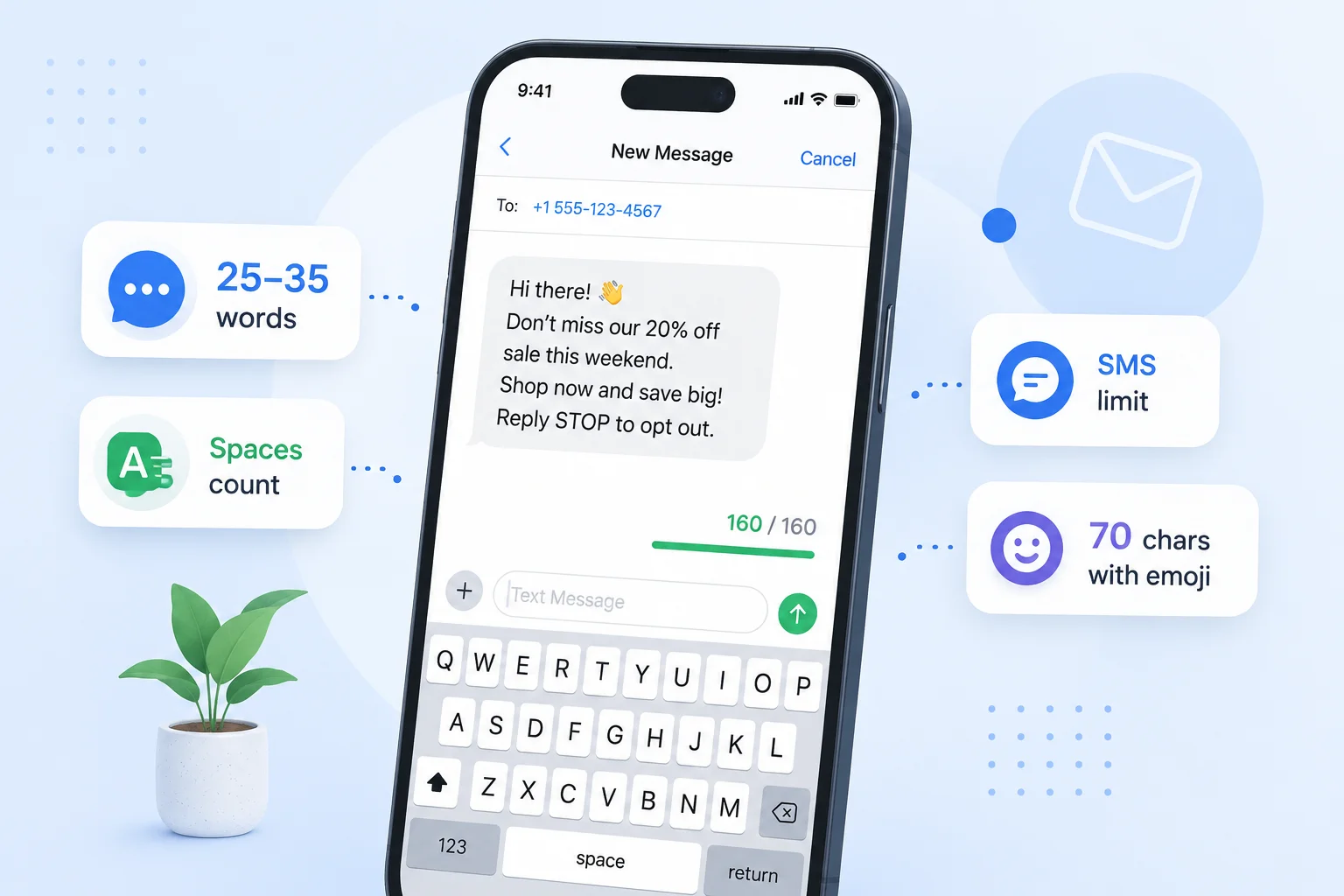
The key facts at a glance
- 160 characters is usually about 25 to 35 words in everyday English
- It is the standard single-message limit for plain SMS (GSM-7 encoding)
- Spaces, punctuation, and line breaks usually count toward the limit
- Emojis or special characters may reduce the available limit by switching encoding
- Exact word count varies with word length and punctuation
How long is 160 characters? In everyday English, 160 characters is usually about 25 to 35 words — roughly the length of two or three short sentences. It is also the standard single-message limit for plain SMS text messages, which makes 160 a character count many people encounter without always realising it.
This guide shows you what 160 characters looks like, where this limit appears, and how to check your exact count before you send or submit.
Quick Answer: 160 Characters to Words
| Counting method | Approximate word count |
|---|---|
| 160 characters with spaces | ~25–30 words |
| 160 characters without spaces | ~30–35 words |
These are estimates for typical English prose. The actual word count depends on:
- Average word length — short common words (“the”, “is”, “to”) fit more words into 160 characters; longer words reduce the count
- Punctuation — commas, periods, exclamation marks, and other marks each use one character
- Spaces — each gap between words counts as one character
At 160 characters, you have enough room for two or three short, direct sentences — enough to get a single clear message across, but not much more.
Visualizing 160 Characters
Example 1: Exactly 160 Characters With Spaces
The text below is exactly 160 characters (verified: 160 characters, 28 words):
Hi, your order has now shipped and is due to arrive by Friday afternoon. Track your parcel here: example.com/track/. Reply HELP for support, or STOP to opt out.
That is three short sentences fitting precisely into a single standard SMS. Notice how there is no room for anything extra — the character count is tight, and every word is purposeful.
Example 2: Short SMS Marketing Text
Most effective SMS messages run well under 160 characters to leave a comfortable margin and to stay focused. Here is a typical marketing message:
Get 20% off this weekend only. Use code SAVE20 at checkout: example.com/sale. Reply STOP to opt out.
That is 100 characters (verified) — 17 words. It stays comfortably inside one segment, leaves no ambiguity about the offer, and includes the required opt-out instruction. This is the kind of tight, single-purpose writing that 160-character limits reward.
Example 3: Social Media Bio
Outside SMS, 160 characters appears in short bio fields, description boxes, and profile summaries. Here is an example bio:
Writer, editor, and content strategist. Helping brands find their voice since 2015. Based in London. Open to freelance projects and collaborations.
That is 147 characters (verified) — 21 words. It introduces a person, names their specialism, adds context, and ends with availability — all within roughly 160 characters.
Compare that to what 1,000 characters looks like — 160 characters is about one-sixth of that, which gives you a sense of how tight the limit is at this size.
Where Do You See a 160-Character Limit?
Standard SMS Text Messages
The most common place you encounter a 160-character limit is SMS. The standard single-message limit for plain text SMS is 160 characters, set at the protocol level when SMS was standardised as part of the GSM mobile standard.
This limit applies to messages encoded in GSM-7 — the default encoding for plain English text. GSM-7 supports 128 characters: the standard Latin alphabet, digits, and common punctuation. Most everyday English messages stay within GSM-7.
If a message contains emojis, smart quotes, non-Latin characters, or certain symbols, it may switch to Unicode (UCS-2) encoding, which reduces the single-message limit from 160 to 70 characters. Adding emojis or special characters may cause an SMS to use Unicode encoding, which meaningfully reduces the available character limit.
Messages that exceed 160 characters are split into multiple segments, each of which may be billed separately. For a full explanation of GSM-7, Unicode encoding, and SMS segment billing, see the SMS character limit guide.
Bios, Forms, and Short Descriptions
The 160-character limit also appears outside SMS:
- X / Twitter profile bios are short character-limited fields, so they are a useful comparison point for 160-character writing
- Short description fields on directories, listing sites, and professional networks sometimes cap descriptions at 100–200 characters
- Alert and notification fields in admin systems and scheduling tools often set limits around 100–160 characters to keep alerts concise
- Custom short URL descriptions and link-in-bio tool captions sometimes enforce limits in this range
When you encounter a character limit near 160, the same rules apply as for SMS: spaces, punctuation, and most characters each count as one.
Do Spaces and Punctuation Count?
Yes, in almost all contexts. Spaces, commas, periods, exclamation marks, dashes, and other punctuation each count as one character toward the 160-character limit.
In a typical 160-character block of conversational English, roughly 15–20% of characters are spaces — around 24–32 characters going to whitespace rather than visible letters.
Line breaks — pressing Enter or Return — also generally count as one character. In SMS specifically, line breaks count as part of the character total. They can also affect how the message renders on some devices, so most SMS copywriters write in a single paragraph rather than splitting across lines.
For more detail on how different platforms and systems handle spaces, see: Do Spaces Count as Characters?
How to Check Your Exact Character Count
The most reliable way to know whether your text fits within 160 characters is to paste it into a live counter and read the number directly.
Use the TextLimits character counter — paste your text and see the exact character count with spaces, character count without spaces, and word count, all updating live as you type. Your text stays entirely in your browser and is never stored or sent anywhere.
If you are writing for SMS or a specific social platform, the social media character counter shows your count against the limits for SMS, LinkedIn, X, Instagram, and other platforms simultaneously, so you can see at a glance where you stand before sending.
Practical tips when writing to 160 characters:
- Write your draft without counting first, then paste in and trim
- Check for smart quotes (
""'') if copying from a word processor — these may affect SMS encoding - Check for trailing spaces after copy-pasting — they count but are invisible
- If you are writing SMS, avoid emojis unless you have confirmed you are within the 70-character Unicode limit
If you need to cut characters to fit within 160, see: How to Reduce Character Count — practical edits ranked by the characters they typically save.
FAQ
How many words is 160 characters? Usually about 25 to 35 words, depending on average word length and punctuation. In typical conversational English with spaces counted, 160 characters tends to hold around 25–30 words. With shorter, simpler words the count can reach 32–35. Longer or more formal language reduces the word count for the same character budget.
Do spaces count in a 160-character limit? Yes, in almost all contexts. Each space between words counts as one character, the same as any letter or punctuation mark. In a typical 160-character block, around 24–30 of those characters will be spaces. See: Do Spaces Count as Characters?
How many sentences is 160 characters? Usually two or three short sentences. A short sentence of 8–12 words uses roughly 50–75 characters. At that rate, 160 characters fits two to three sentences with room for punctuation. Example 1 above shows three sentences fitting into exactly 160 characters.
Why is the SMS limit 160 characters? The 160-character limit was set at the protocol level when SMS was designed as part of the GSM mobile standard in the 1980s. Each SMS frame uses 140 bytes; with GSM-7 encoding (7 bits per character), that frame holds exactly 160 characters. It is a technical constraint of how SMS works, not a platform-specific choice. For more background, see the SMS character limit guide.
Do emojis count against the 160-character SMS limit? Yes, but they can also change the encoding. Adding emojis or special characters may cause an SMS to switch from GSM-7 to Unicode (UCS-2) encoding, which drops the single-message limit from 160 characters to 70 characters. The emoji itself counts toward that reduced limit. This means a message with one emoji that is 100 characters total could split into two segments — because 100 exceeds the 70-character Unicode limit. Always check your character count when using emojis in SMS.
How do I check if my text is exactly 160 characters? Paste your text into the TextLimits character counter. The count updates live as you type or paste, and shows both characters with spaces and characters without spaces. Trim or expand until the count reads exactly 160. For SMS specifically, the social media character counter shows your count against the SMS 160-character limit in real time.
Is 160 characters enough for a bio? It depends on how much you need to say. 160 characters fits a concise introduction — your role, one relevant detail, and a brief closing note, as shown in Example 3 above. It is enough for a focused bio on a directory or alert field, but not enough for a full professional profile or LinkedIn summary. If you need more space, most full bio fields on social platforms allow significantly more than 160 characters.
Try it free
Check your character count free
Paste your text into the TextLimits character counter to see your exact character count with spaces, without spaces, and word count — all updating live.
Check your character count free →